
HEADWAY SHORTCUT BUILDER
Download Version 9.16 |
Let us know about any suggestions for improvement, or use the error reporting feature in the Builder. |
The Headway Shortcut Builder is a Microsoft Access shortcut builder tool that saves time when you have to build those pesky secured Microsoft Access application shortcuts. Using the WorkGroup Administrator is not always a good idea, especially when you or other people use the same workstation for various Access systems, each secured with their own mdw.
The Headway Shortcut Builder is prepared to work on a Windows PC that has multiple installations of Microsoft Access installed. It will find the last version of Access used, and determine the best mdw to use: the one in the application folder if there is one, or the System.mdw corresponding to the last version of Access used.
The Headway Shortcut Builder exe file can be downloaded from this page in a Zip file and does not require a setup program. Download the Zip, unzip it to any folder, run it once from there, and it's ready to use.
To setup the Headway Shortcut Builder, first run the exe by double-clicking on it.
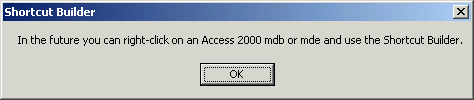
When you see the above message box a registry entry has been made. Now the Shortcut Builder is ready to use.
(Click the pictures for a larger view.)
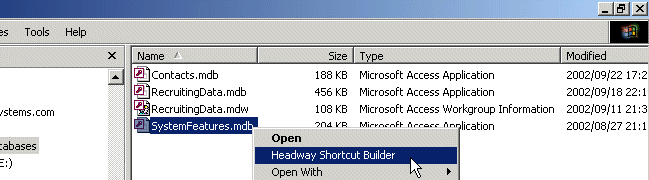
Right-click your mdb or mde application file and select "Headway Shortcut Builder". If there is an mdw in the same folder it will be used. Otherwise the system mdw corresponding to the last version of Access used will be the one specified.
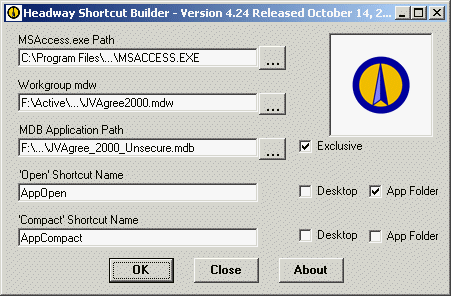
When the Headway Shortcut Builder opens, you're ready to go. Change the path to any of the three components by clicking the builder buttons and click OK.
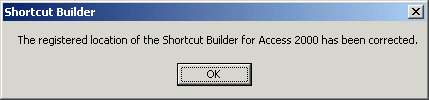
If you move the exe file, run it from where it is, and it's registration will be adjusted.
HEADWAY SHORTCUT BUILDER VERSION HISTORY
| VERSION | CHANGE |
| 9.16 | Get the last User Name better. |
| 9.15 | Debugged for versions 2007 and 2010. |
| 9.13 | Updated for Access 2010. |
| 9.12 | Error reporting is improved. |
| 9.09 | Changes to deal with no previous Access version used. |
| 9.08 | Modifications for the accdb Access 2007 file extension. |
| 9.07 | Show the Access version being used more clearly. |
| 9.06 | Overcome minor error when loading. |
| 9.03 | Several minor improvements to deal with errors reported by user base. |
| 9.01 | Debug location of mdw when fast changing Access version. |
| 9.00 | Allow fast changing of Access version. |
| 8.03 | Incorporate the shortcut icon better. |
| 8.01 | New features: include an icon in the shortcut; machine name; user name. |
| 6.05 | Corrected to save the settings properly when Access version 2003 is used. |
| 6.04 | Updated to handle Access versions XP and 2003. |
| 6.02 | Minor changes to the way that the last Access version used is derived. |
| 6.01 | Minor correction to the way that the shortcut names are derived. |
| 6.00 | Rewritten in VB6 again. As a Dot Net app it was way too slow. |
| 5.11 | Display paths without "~". |
| 5.10 | Enable right-click on an mde as well as mdb. |
| 5.00 | Rewritten with VB.Net. |
| 4.22 | Error notification to Headway is enhanced. This is the last version written in VB6. |
| 4.21 | The Builder is upgraded to handle Access XP as well as previous versions to Version 97. |
| 4.20 | The five checkbox settings are recalled each time the Builder is used. |
| 4.10 | The Builder is ready to be used on a PC with multiple versions of Access installed. |
| 4.00 | The Builder can be called by right-clicking the application mdb. |
| 3.00 | The Builder is rewritten to eliminate the need for a setup program. |